Always one glance away
Your time zones live in your menu bar. Show home time, home plus one pinned city, every clock, or just an icon.
Native macOS app
See all your time zones in one glance. Right in your menu bar. Schedule calls without timezone math. Know when your team is online.
You've been there. Scheduling calls, missing meetings, waking people up at 3am.
"Wait, is it tomorrow there or still today?"
"I scheduled the call for 9am their time... turns out it was 4am"
"Let me Google the time difference... again"
Day, evening or night
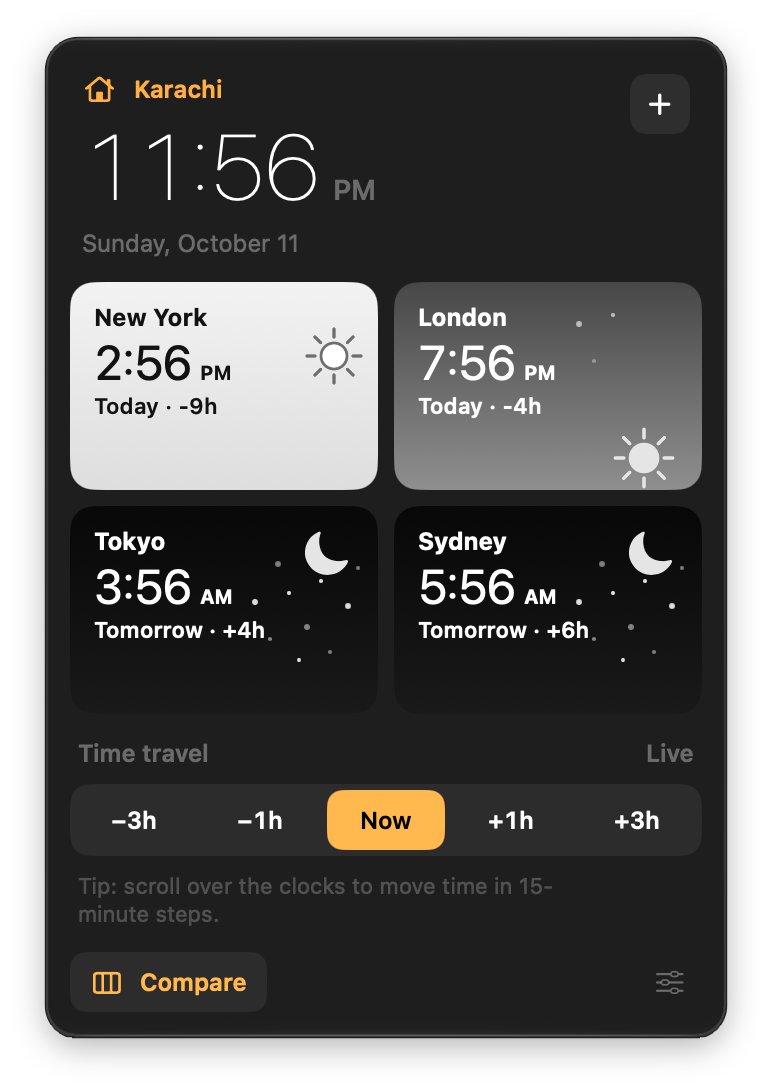
Every city is a little sky. The sun moves through the day, sets in the evening, and the moon comes out at night. These are live, right now:
New York
--:--
London
--:--
Tokyo
--:--
Sydney
--:--
Compare
Every city on one timeline, with now in the middle and twelve hours either side. Click any hour to line it up across all your zones, or jump to another day.
Your time zones live in your menu bar. Show home time, home plus one pinned city, every clock, or just an icon.
Jump ahead or back with one click, or scroll over your clocks to move in 15-minute steps. All zones update together.
Search by city, country, region, or abbreviation. It just works.
Drag tiles to rearrange your cities. Give each one a name and a short label like LDN, or an emoji.
Every city tells you whether it's already tomorrow there, and how many hours ahead or behind it is, half hours included.
Everything runs on your Mac. ZoneBar collects no data. Privacy policy
Here are the answers you're looking for
Full refund within 14 days, no questions asked. Just email support and you'll get your money back.
Yes! Each license works on up to 3 Macs. You can deactivate and reactivate anytime.
Automatically. ZoneBar uses macOS timezone data, so DST changes happen without you lifting a finger.
Nope. One-time purchase. You pay once and own it forever, including all future updates.
Yes. Everything runs locally on your Mac. No internet required after activation.
Still have questions? Get in touch
One-time purchase. 14-day refund.